
html_highlighter: highlighting HTML in Flutter on Android, iOS and macOS
Reading apps live or die on how they let you work with the text. Questions, explanations, long articles: people want to mark the line that matters and find it again later. html_highlighter is a Flutter package that does that for any HTML you show in a WebView, on Android and iOS phones and tablets and on macOS. One widget, one engine, one saved format on every platform.
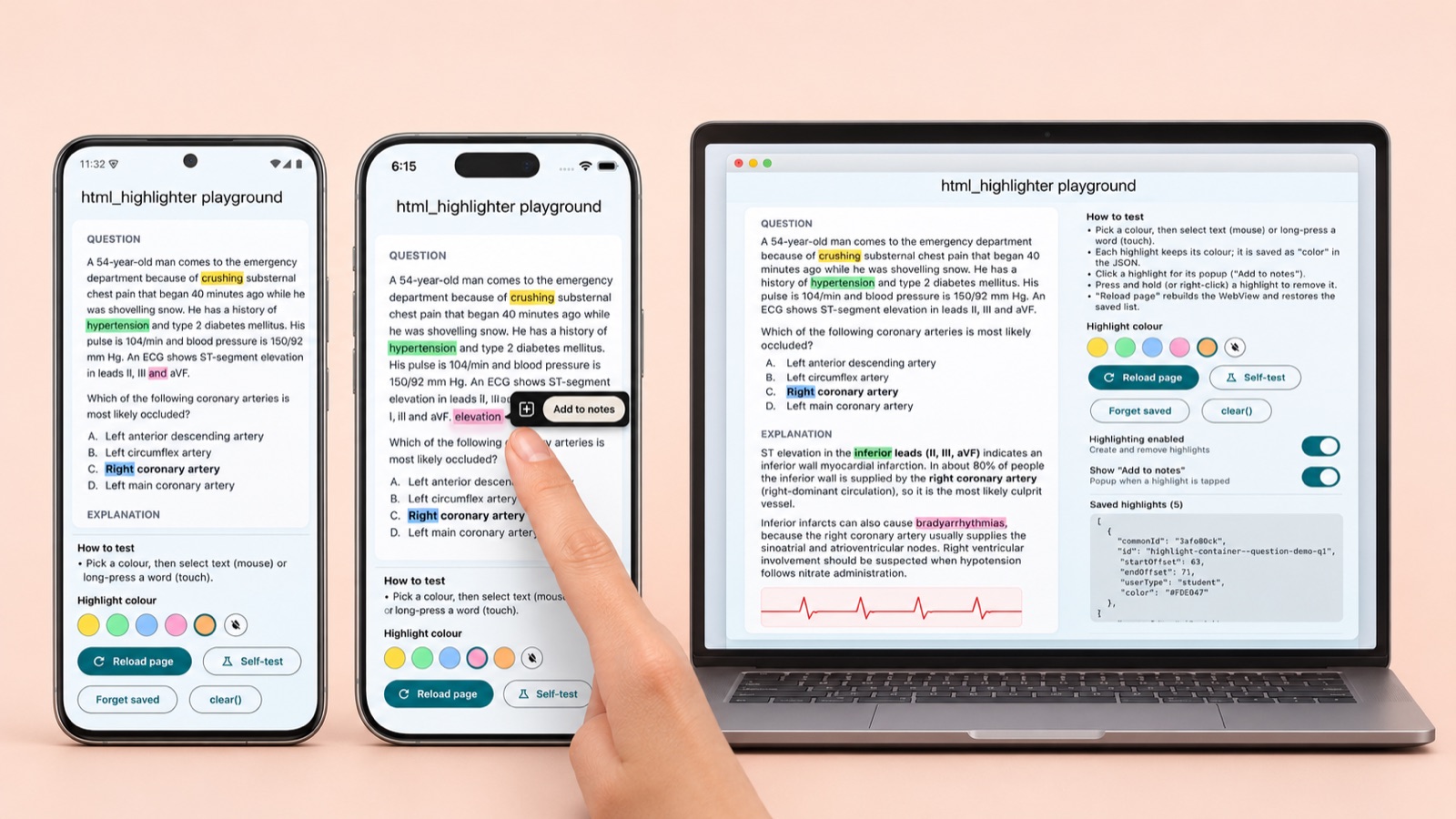
Select text to highlight it, in any colour. Tap it to add a note. Hold it to remove it. Come back tomorrow and every highlight is still there.
What it does
- Highlight in any colour. Long-press a word on touch, or drag across text with a mouse. Every highlight keeps its own colour.
- Add to notes. Tap a highlight for a small popup; your app gets the selected HTML, ready for a note. Blocks of type
questionskip the popup, so questions stay notes-free. - Remove it. Press and hold, or right-click.
- Everything restores. Each change hands your app the full list of highlights as small JSON. Give it back later and they reappear, colours included.
- Works with real content. Lists, tables, images and embedded video or PDF can sit inside highlightable blocks. A selection that crosses a video or PDF is cleared, never highlighted.
- Switches. Turn highlighting off (existing highlights stay, and still open their popup), or hide the popup.
- Your styles and scripts.
addCssandaddScriptsadd your own CSS and JavaScript to the page.
Installation guide
html_highlighter is on pub.dev.
1. Add the package
flutter pub add html_highlighterOr add it to pubspec.yaml yourself and run flutter pub get:
dependencies:
  html_highlighter: ^0.1.1
2. Set up each platform
Android. If your HTML loads remote images, video or PDFs, declare the internet permission in android/app/src/main/AndroidManifest.xml. Flutter only adds it to debug and profile builds, so without it a release build loads nothing from the network.
<uses-permission android:name="android.permission.INTERNET"/>iOS and iPadOS. Set the deployment target to 15.0, in ios/Podfile and in Xcode:
platform :ios, '15.0'macOS. Set the deployment target to 12.0, and allow network access in macos/Runner/DebugProfile.entitlements and Release.entitlements, or the WebView stays blank:
<key>com.apple.security.network.client</key>
<true/>
3. Show your HTML
Wrap each block of content in a highlight container and drop in the widget:
import 'package:html_highlighter/html_highlighter.dart';

HighlightableHtmlView(
  body: highlightContainer(type: 'article', id: section.id, html: section.html),
  highlightColor: const Color(0xFF86EFAC),
  initialHighlights: savedModels,
  onHighlightChanged: (change) => save(change.models),
  onAddToNote: (note) => createNote(note.cleanHtml),
  highlightingEnabled: canHighlight,
  showAddToNote: notesEnabled,
);
4. Save and restore
change.models is the full list of highlights as plain JSON maps, so saving is one write. Store it anywhere, then pass the same list back as initialHighlights and every highlight returns in its own colour:
// with dart:convert and shared_preferences
// save
await prefs.setString('highlights', jsonEncode(change.models));

// restore
final savedModels = (jsonDecode(prefs.getString('highlights') ?? '[]') as List)
    .cast<Map<String, dynamic>>();
The container's type and id end up in every saved highlight, so the app can tell a question from its explanation or an article. Need more control? The widget is built on HtmlHighlightBridge, which only talks to the page through a small HighlightHost interface, so it is easy to test without a WebView.
Android, iOS and macOS
The same Dart code runs everywhere. Here is the package's playground app with highlights made by long-pressing words, one colour each. From left: Android, the "Add to notes" popup on an Android table cell, iPhone, and iPad with the saved JSON alongside.
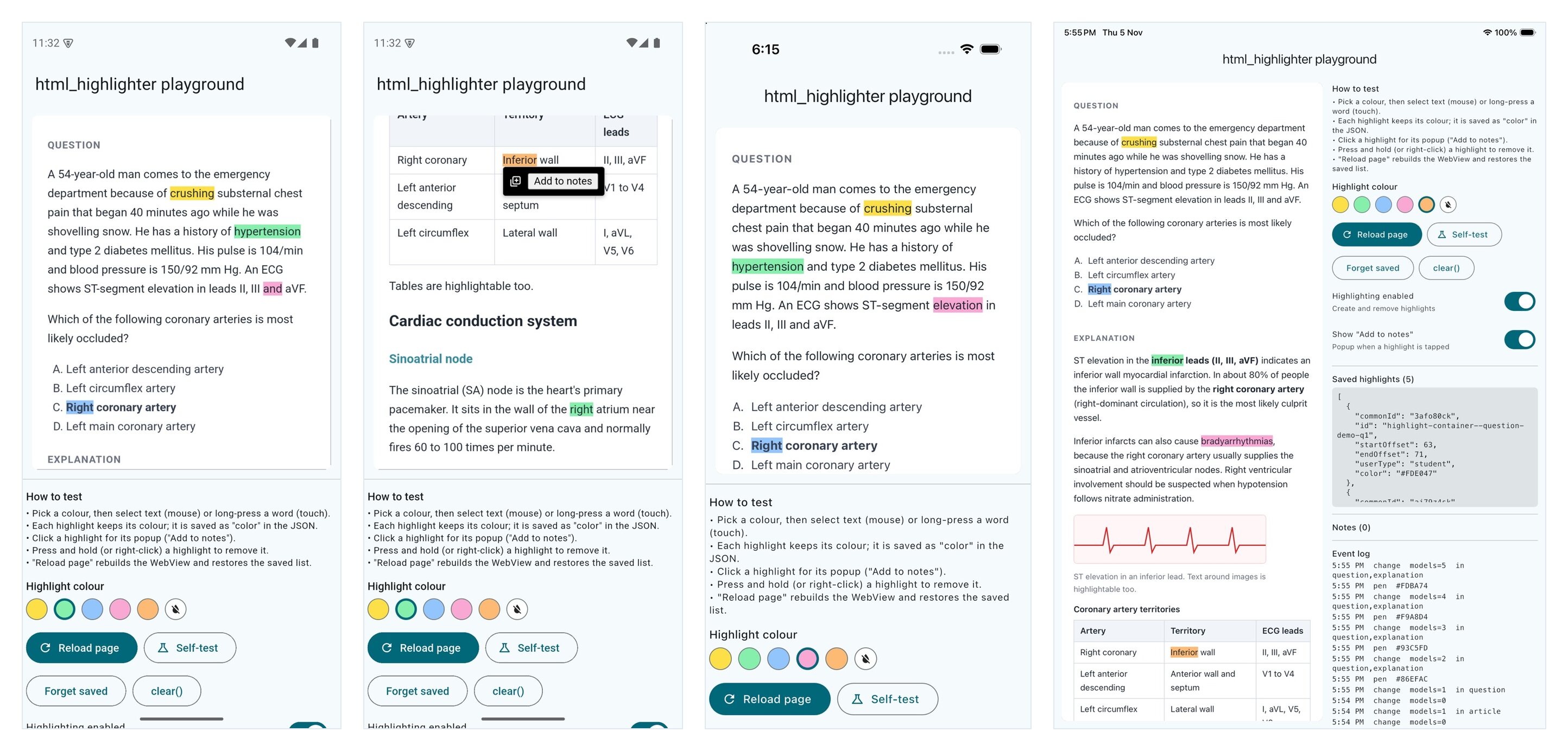
How it behaves on each platform (the setup is in the installation guide above):
Android
- Long-press selects a word with Android's handles; when you lift your finger it becomes a highlight. Hold a highlight to remove it.
- Tested on an Android 35 emulator (Pixel 7) with real touch.
iOS and iPadOS
- Keep the widget's default gesture recognisers: the WebView must own long-press, or iOS never starts a text selection.
- Inline video needs
allowsInlineMediaPlayback, which the widget turns on. Put a PDF in an iframe as a small page that renders it with pdf.js, and a video as a page with<video playsinline>; WKWebView won't show either directly. - Tested on iPhone 17 and iPad Air simulators with real touch.
macOS
- Drag to select with a mouse or trackpad, click a highlight for the popup, right-click (or hold) to remove. A small mouse shim feeds those into the same engine.
- Tested with mouse and trackpad.
What gets saved
One small object per highlight. Offsets count characters of the block's text, so the same JSON restores on every platform, and in the web version too.
{
  "commonId": "3afo80ck",
  "id": "highlight-container--question-demo-q1",
  "startOffset": 63,
  "endOffset": 71,
  "userType": "student",
  "color": "#FDE047"
}
Each change sends the whole list, not a diff, so saving is a single write.
What real devices taught us
A highlighting package is mostly about the one moment your finger lifts off the glass. We tested on Android, iPhone and iPad with real touch, not just scripts, and that is where these turned up.
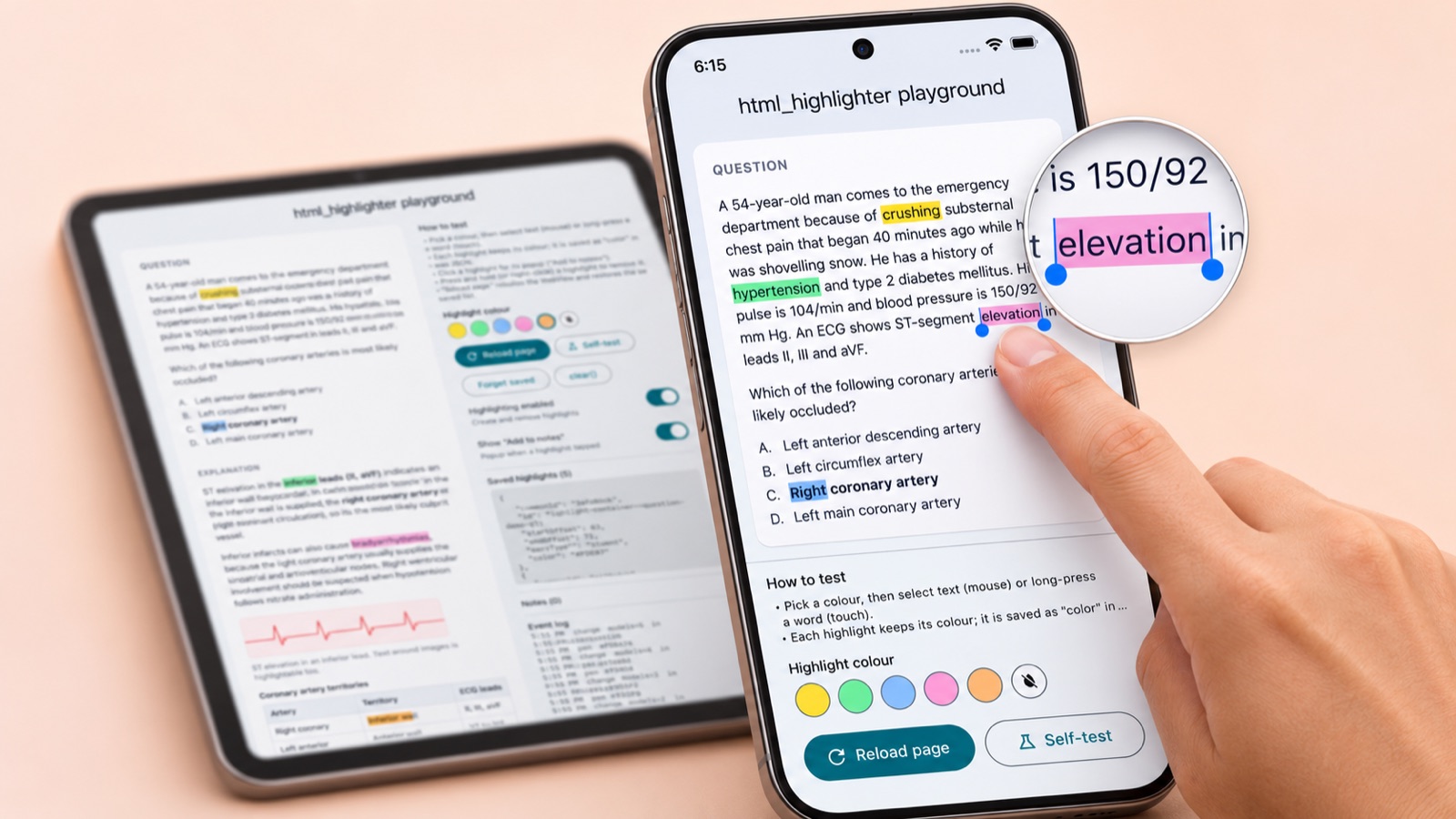
Android cancels the touch
On Android every automated check passed, and still a long-press made a selection and no highlight. Logging the touch events showed why: Android ends a long-press that selects text with touchcancel, not touchend, and the engine highlights on touchend. iOS sends touchend, and the self-test uses mouse events, so neither had caught it. Now, when a real touch is cancelled and a new selection formed during it, the page finishes the touch itself. A cancelled scroll leaves the selection as it was, so it's ignored.
Nothing could be highlighted on iOS
The page got the touch, but there was no selection to turn into a highlight. iOS only starts text selection if the WebView owns the long-press gesture, and Flutter had given it to someone else. The widget now claims tap, long-press, drag and scale by default.
The highlight that came back
Hold a highlight to remove it and it vanished; tap anywhere else and it was back. Holding a word also selects it, and that selection outlived the removal. A small guard now clears the selection when a press removes a highlight, and ignores any selection that existed before the current touch.
A PDF that wouldn't draw, a video that wouldn't play
WKWebView loads a PDF in an iframe and shows nothing, and an iframe pointed at an .mp4 never started. Small pages that render the PDF with pdf.js and play the video inline fixed both; Android plays them the same way. Selections that cross them are cleared.
A phone is not a small tablet
The playground's fixed side panel left almost no room for the page on a phone. It now stacks the page above the controls on narrow screens.
Logs can lie
Taps looked lost on the iOS simulator; they weren't. The run log arrives in batches and screenshots can be a frame behind. On a slow Android emulator a debug build froze with "isn't responding", while a release build ran smoothly. Judge by the app's own event log, and test performance on a release build.
Conclusion
html_highlighter gives a Flutter app persistent, multi-colour highlighting for any HTML, with one widget and one small JSON format, on Android, iOS and iPadOS, and macOS. It is checked by 34 package tests, a 9-step self-test that runs inside the real WebView (on iPhone, iPad and Android), and hands-on touch testing on phones and tablets.
- Test with real touch, on iOS and Android, on a phone and a tablet: scripted mouse events never found the touch bugs above.
- When a platform says no (PDFs in iframes), give it the shape it accepts.
- Keep one engine and one saved format, and every platform stays in step.
Building a website? The package has a companion web module that saves the same JSON, so a highlight made in the app shows on your site and back. Read html_highlighter on the web: React and Next.js for how it works in a real Next.js app.